Public note
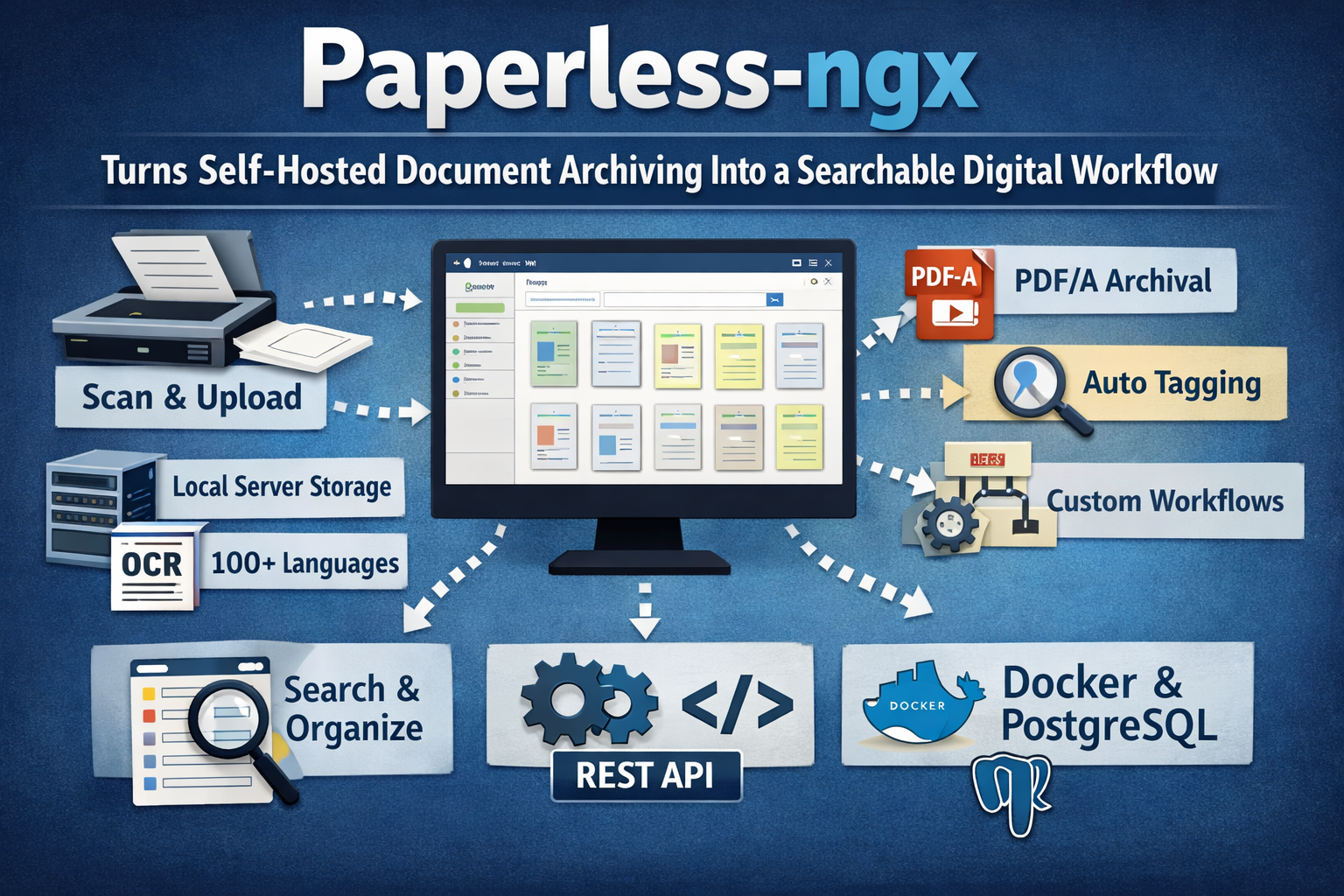
Paperless-ngx Turns Self-Hosted Document Archiving Into a Searchable Digital Workflow
Paperless-ngx is a self-hosted, open-source document management system that converts physical and digital documents into searchable archives with OCR, metadata extraction, automation, workflows, and API access.
Subheadline
Paperless-ngx is a self-hosted, community-supported document management system that turns scanned and imported files into a searchable long-term archive, combining OCR, metadata extraction, automation, workflows, and API access in one open-source package.
Lead
Paperless-ngx is not a vague “paperless office” concept and it is not an AI knowledge-graph tool. It is a concrete, self-hosted document management system built to scan, index, organize, and archive personal or business documents. The project’s official positioning is straightforward: convert physical paperwork into a searchable online archive and keep less paper.
What makes the project notable is how much document operations machinery it wraps around that core idea. Paperless-ngx does not stop at file storage. It adds OCR, structured metadata, rule-based and machine-learned classification, email ingestion, full-text search, sharing, permissions, workflows, and a documented REST API. In other words, it aims to be an operational archive, not just a folder with previews.
At a Glance
- Project: Paperless-ngx
- Owner / organization:
paperless-ngx - What it is: Community-supported open-source document management system
- Primary purpose: Transform physical and digital documents into a searchable archive
- License: GPL-3.0
- Official position in the ecosystem: Successor to Paperless and Paperless-ng
- Recommended deployment path: Docker Compose; PostgreSQL is recommended for new installations
- Recent release context: The latest GitHub release listed at the time of writing is v2.20.14, dated April 14, 2026
What Happened
This is best understood as a technical profile rather than a breaking-news launch story. Paperless-ngx is a mature open-source project with substantial community adoption and ongoing maintenance. On the repository page, GitHub shows roughly 39.4k stars, 2.5k forks, and more than 11,000 commits, while the releases page lists v2.20.14 as the latest release on April 14, 2026.
The product pitch has remained consistent across the repository and official docs. Paperless-ngx is designed to ingest documents, run OCR, store both archival and original versions, classify documents with metadata, and make the corpus retrievable through search, filters, and API access. The result is a local-first archive system for people or teams who want control over their documents without handing the archive to a third-party SaaS vendor.
Key Facts / Comparison
| Area | What the official sources say |
|---|---|
| Core identity | Paperless-ngx is a community-supported open-source document management system that turns physical documents into a searchable online archive. |
| Data handling | The docs say data is stored locally on your server and is never transmitted or shared by the application. |
| OCR | Paperless-ngx performs OCR and uses Tesseract, with support for more than 100 languages. |
| Archival model | Documents are saved as PDF/A for long-term storage, alongside the unaltered originals. |
| Classification | The system can automatically assign tags, correspondents, document types, and storage paths, including an Auto mode backed by a neural network. |
| Ingestion | It supports PDFs, images, plain text, and optionally Office documents and email ingestion through Apache Tika. |
| Retrieval | Search includes full-text search, autocomplete, relevance sorting, highlights, and “More like this” style similar-document lookup. |
| Operations | The platform includes multi-user permissions, shareable links, workflow automation, and a sanity checker. |
| Integration | It ships with a documented REST API and a browsable API interface. |
| Deployment | The docs position Docker Compose as the easiest setup route and recommend PostgreSQL for new installs. |
Background and Context
Paperless-ngx matters partly because of where it sits in the lineage of open-source document archiving tools. The project explicitly describes itself as the official successor to both the original Paperless and Paperless-ng projects. That matters because it frames the repository not as a fork chasing novelty, but as the continuation of an existing document-management line with shared maintenance responsibility.
That continuity also helps explain the project’s tone. The repository and docs read less like an experimental prototype and more like infrastructure software for people who already understand the pain of receipts, statements, invoices, letters, manuals, and records piling up in disconnected folders or filing cabinets.
Why This Matters
For many users, the real appeal of Paperless-ngx is not simply digitization. Plenty of scanners and cloud drives can turn paper into PDFs. Paperless-ngx tries to solve the harder problem: making a document archive usable over time. OCR makes text searchable. PDF/A preserves an archival copy. Metadata structures the collection. Workflows and mail rules reduce repetitive intake work. Permissions and share links make the archive usable by more than one person. Backups and exports make the archive portable.
The self-hosted angle is also central. The project’s official documentation emphasizes local storage and explicitly states that data is not transmitted or shared by the application. For privacy-conscious households, small businesses, or anyone handling sensitive records, that is not a side feature. It is a key architectural and trust decision.
Insight and Industry Analysis
Paperless-ngx stands out because it solves a very old information problem with a relatively modern operations stack. Many “document AI” products begin from extraction, chat, or workflow automation. Paperless-ngx begins with archiving discipline: capture the file, preserve it, classify it, search it, and make it manageable over years.
That design choice makes it more durable than trend-driven software, but it also defines its boundaries. Based on the official sources, Paperless-ngx is not trying to be a collaborative office suite, a generic knowledge graph platform, or a consumer cloud drive. Its strength is document lifecycle management inside a self-hosted environment. That clarity is a competitive advantage because it keeps the product focused on records, retrieval, and operational reliability rather than feature sprawl.
Strengths, Limitations, and Open Questions
Strengths
- Strong practical scope: OCR, archive preservation, search, metadata, permissions, workflows, API, and backup/export are all present in the official feature set.
- Local-first posture: the project states that data stays on the user’s own server.
- Useful automation range: rule-based matching, fuzzy/regex matching, neural-network-based auto matching, email intake, and workflow actions make the system more than a passive repository.
- Mature deployment story: Docker Compose is the default recommendation, and migration from Paperless-ng is explicitly documented.
Limitations
- Office document and email ingestion are not baseline-only features; the docs note that this support is optional and provided through Apache Tika.
- Export/import is version-sensitive. The administration docs caution that exports cannot be imported into a different Paperless version because the export mirrors the database state exactly.
- The official materials focus on self-hosting and community support, not on a managed SaaS, enterprise SLA, or hosted support tier.
Open Questions
- The official sources do not position Paperless-ngx as an enterprise records-governance platform, so questions around compliance certifications, retention-policy frameworks, or hosted commercial support are outside what the sources specify.
- The current sources also do not claim that Paperless-ngx is building toward a broader “AI assistant for documents” strategy. Its machine learning is practical and classification-focused, not marketed as a conversational intelligence layer.
Technical Deep Dive
At the ingestion layer, Paperless-ngx supports multiple routes into the archive. Users can upload through the web app, process documents through a consumer workflow, import from email accounts with configurable rules, or submit documents through the REST API. This matters because document-management systems often fail not at storage, but at capture. Paperless-ngx’s design acknowledges that files arrive from scanners, inboxes, desktop exports, and automated systems.
OCR is one of the project’s foundational technologies. The official documentation says Paperless-ngx uses the open-source Tesseract engine and supports more than 100 languages. OCR converts image-only scans into searchable and selectable text, which is a prerequisite for both reliable retrieval and automated classification. The project also preserves the original files and stores archival copies as PDF/A, a format chosen for long-term retention rather than convenience alone.
Metadata is the second major technical pillar. Paperless-ngx organizes documents around tags, correspondents, document types, storage paths, and custom fields. In the advanced topics documentation, the project details a fairly broad matching system with Any, All, Exact, Regular expression, Fuzzy match, and Auto modes. The first five are rule-based. The sixth, Auto, is described as using a neural network to learn metadata assignment patterns from already-labeled documents. That is a pragmatic use of machine learning: narrow, supervised, and operationally embedded rather than positioned as a broad generative layer.
Search and retrieval are equally important. Official docs describe full-text search with autocomplete, relevance-based sorting, highlighted matches, and a similar-document capability. The REST API also supports query-based search and a more_like_id mode for finding related documents. This makes Paperless-ngx suitable not just for archival storage but for recurring lookup tasks such as finding the latest utility bill, matching warranty paperwork, or retrieving prior correspondence.
On the platform side, the docs describe a multi-user permissions model with both global and per-object access control, shareable public links with optional expiration, workflow automation, and an integrated sanity checker for archive health. There is also a documented API with multiple authentication methods, including basic auth, session auth, token auth, and remote-user auth. For technical teams, that means Paperless-ngx can sit inside a broader automation environment rather than remain a sealed web app.
Operationally, deployment is oriented around containers. The project presents Docker Compose as the easiest starting point, offers an installation script that automates setup, and recommends PostgreSQL for new installations. The repository structure itself also reflects a relatively organized engineering model, with separate directories for docs, front end, back end, scripts, and Docker assets, and with main and dev branches used to separate releases from next-release work.
What to Watch Next
- Whether the project’s upcoming releases keep focusing on operational quality, security, and deployment polish rather than changing scope.
- How much the workflow, API, and auto-classification features expand in future versions.
- Whether Paperless-ngx remains primarily a power-user/self-hosting tool or becomes easier for less technical users to deploy and maintain.
- How the project balances its strong archival discipline with growing user expectations around document intelligence and automation.
Conclusion
Paperless-ngx is a strong example of open-source software succeeding by being specific. It is not trying to be everything related to documents. It is trying to be a dependable self-hosted system for ingesting, OCR-processing, classifying, searching, and preserving them. The official sources support that identity clearly.
For users who want a searchable archive under their own control, Paperless-ngx looks substantial, mature, and practically engineered. Its combination of OCR, metadata automation, API access, permissions, workflow support, and long-term archival thinking gives it more weight than a typical “scan your paperwork” utility. The project’s recent releases also suggest active maintenance, which is essential for software that may end up holding years of important records.