Public note
OpenScreen: Why This Free Screen-Studio Alternative Is Getting So Much Attention
OpenScreen is an open-source desktop app that provides a free alternative to Screen Studio for creating polished product demos and walkthroughs, focusing on essential features without unnecessary complexity.
Summary
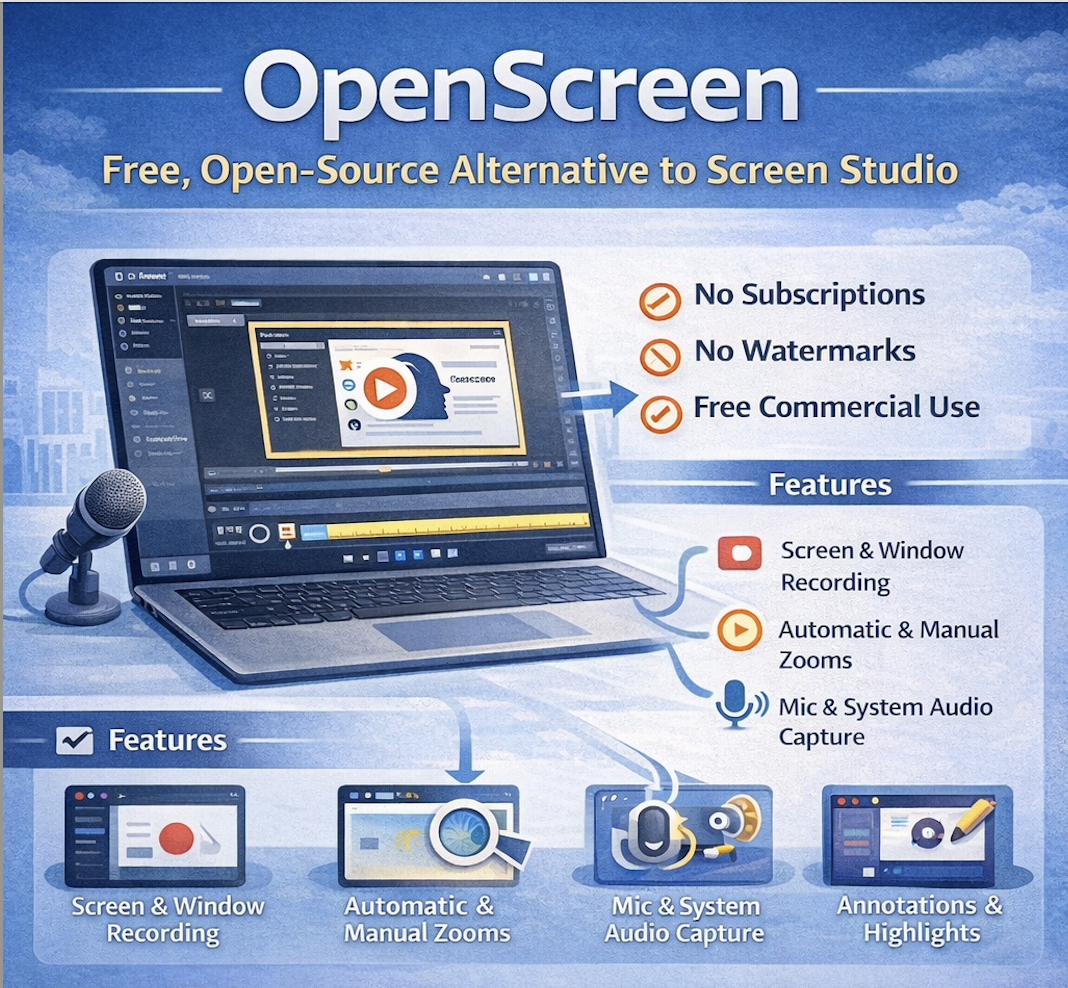
OpenScreen is an open-source desktop app for making polished product demos, walkthroughs, and screen recordings without paying for an expensive subscription. The project presents itself as a free alternative to Screen Studio, with no subscriptions, no watermarks, and free use for both personal and commercial work.
For people interested in IT, the easiest way to understand OpenScreen is this:
It takes a type of software that usually feels premium and locked down, then makes the core experience open, accessible, and surprisingly good for free.
That matters because software demonstration tools are increasingly important for:
- product launches
- startup demos
- educational videos
- internal documentation
- social media explainers
- SaaS onboarding
OpenScreen is interesting not because it claims to replace every premium feature on the market, but because it shows how far a focused open-source tool can go when it solves a clear everyday problem well.
What the Project Is
The GitHub repository describes OpenScreen as:
“Create stunning demos for free. Open-source, no subscriptions, no watermarks, and free for commercial use. An alternative to Screen Studio.”
The README is refreshingly direct. It says OpenScreen is not a 1:1 clone of Screen Studio and does not try to match every advanced feature. Instead, it aims to cover the basics that most people actually need when they want to create attractive product demos and walkthrough videos.
That is an important part of why the project stands out.
Rather than trying to be a giant, all-purpose video suite, OpenScreen focuses on a narrow but valuable job:
- record a screen or a window
- zoom into important actions
- add annotations
- clean up the framing
- control pacing
- export in useful formats
For an IT audience, that makes OpenScreen a strong example of good product focus.
Why OpenScreen Matters
A lot of software categories now have a familiar pattern:
- a tool becomes essential
- the best-known versions become expensive
- many people only need 60–70% of the premium feature set
- an open-source or lower-cost tool appears to cover the practical core well enough
OpenScreen fits that pattern.
Its importance is not just that it is free. The more interesting point is that it takes a workflow many creators, startups, indie hackers, educators, and internal teams care about, then offers a credible no-cost option with open licensing.
That matters in the current IT landscape because polished screen demos are no longer a niche need. They are now part of how products are sold, explained, supported, and shared.
For ordinary IT readers, the bigger story is this:
OpenScreen shows how open-source software is moving into creator workflows, not just developer infrastructure.
What OpenScreen Does in Simple Terms
A beginner-friendly way to think about OpenScreen is as a screen recorder plus a lightweight visual editor built specifically for demos.
1. Record your screen or a single window
You can capture your full screen or specific windows.
2. Add zoom effects
The app supports both automatic zooms and manual zooms with customizable depth and timing.
3. Record sound
You can record microphone audio, and in many cases system audio as well.
4. Improve the presentation
You can crop the video, add backgrounds, use motion blur, trim sections, change speed in different segments, and add annotations such as text, arrows, or images.
5. Export the result
The finished video can be exported in different aspect ratios and resolutions.
That is exactly the sort of workflow many people want when they say, “I just need to make a product demo that looks good.”
Key Features
1. Screen and window recording
OpenScreen can record either the full screen or a selected window.
Why it matters:
This is the foundation of demo creation, and it helps users keep recordings focused.
2. Automatic and manual zooms
The README highlights automatic zooms as well as manual zoom controls with customizable depth and position.
Why it matters:
Zooming is one of the easiest ways to make screen recordings feel polished and easier to follow.
3. Microphone and system audio capture
The project supports microphone recording and system audio capture, though platform behavior differs.
Why it matters:
A demo tool becomes much more useful when it can capture both narration and app audio.
4. Background controls
Users can choose wallpapers, solid colors, gradients, or custom backgrounds.
Why it matters:
This helps recordings look more intentional and brand-friendly.
5. Motion blur and transitions
Recent releases emphasize improved transitions and motion blur.
Why it matters:
These details make simple demo videos feel smoother and more premium.
6. Annotations
OpenScreen supports adding text, arrows, and images as annotations.
Why it matters:
Annotations are often the difference between a recording and a real explanatory demo.
7. Trimming and speed control
You can trim clips and change playback speed in different sections.
Why it matters:
This makes it easier to remove dead time and keep attention on the important parts.
8. Multi-platform export
The app exports in different aspect ratios and resolutions.
Why it matters:
This helps the same recording work for YouTube, product pages, internal demos, and social media formats.
Recent Momentum
OpenScreen has grown fast for a focused creator tool.
At the time of writing, the GitHub repo shows roughly:
- 15.7k stars
- 1.1k forks
- 385 commits
- 39 open issues
- 6 open pull requests
- 11 releases
The latest release is v1.3.0, published on April 2, 2026. According to the release notes, it includes:
- undo-redo changes
- localization in Chinese, English, and Spanish
- fixes for Windows path-resolution issues
- fixes for audio desync and speed issues
- restart recording
- improved transitions and motion blur
- webcam support in vertical and picture-in-picture mode
- transparent background support in native aspect ratio with zero padding
That matters because it suggests the project is not stuck at a flashy initial demo stage. It is still evolving quickly.
The earlier v1.2.0 release on March 8, 2026 was also a major step, adding:
- microphone and system audio capture
- persistent saved projects
- a new speed track
- custom Google Fonts for annotation text
- configurable keyboard shortcuts
- a major exporter revamp for faster exports
In short, OpenScreen is shipping meaningful improvements, not just cosmetic updates.
Strengths
1. Very clear value proposition
The project is easy to explain: a free, open-source, commercial-use-friendly demo tool.
2. Good product focus
OpenScreen does not try to be a full nonlinear video editor. That keeps the experience focused.
3. Open and permissive licensing
The project uses the MIT License and explicitly says it is free for personal and commercial use.
4. Strong feature-to-complexity ratio
It covers a lot of the features people most often want without positioning itself as overwhelming professional software.
5. Fast momentum
The combination of strong GitHub traction and frequent releases suggests genuine community interest and rapid iteration.
6. Modern desktop stack
The project is built with Electron, React, TypeScript, Vite, PixiJS, and dnd-timeline, which makes it a modern desktop/web-tech hybrid.
For IT readers, that is interesting because it shows how far desktop-grade creative tools can now be built with web technologies.
Caveats
A balanced report should also mention the limits.
1. The project is still in beta
The README explicitly warns that OpenScreen is “very much in beta” and may still be buggy.
2. It does not try to match every premium competitor feature
The maintainer is upfront that this is a simpler alternative, not a full replacement for everything Screen Studio offers.
3. Platform-specific audio limitations exist
System audio capture depends on Electron’s desktopCapturer and has OS-specific quirks:
- macOS requires macOS 13+ for system audio, with specific permission behavior on 14.2+
- Windows works out of the box
- Linux generally needs PipeWire, and older PulseAudio-only setups may not support system audio properly
4. Installation friction can exist on some platforms
For example, the README notes Gatekeeper issues on macOS and sandbox issues on some Linux systems.
5. Active bugs still exist
The issue tracker currently shows open reports around Windows editing alignment, Opus audio playback on Windows, video finalization hanging, and other fresh bugs from early April 2026.
That does not cancel the project’s strengths, but it does reinforce the “fast-moving beta” nature of the app.
Why It Is Interesting for People in IT
Even if you are not a content creator, OpenScreen is still interesting because it reflects several larger technology trends.
Open source is moving into creative workflow software
This category was once dominated almost entirely by commercial tools.
Product demos are now part of software development culture
The ability to explain and market software visually is increasingly part of how products succeed.
Web-tech desktop apps are becoming more capable
Electron-based tools used to be dismissed as lightweight wrappers. Projects like OpenScreen show they can now power real visual editing tools.
Simpler tools can win by focusing on what most people actually need
OpenScreen is a good example of pragmatic feature selection instead of feature overload.
Why This Project Is Good News
The good news about OpenScreen is not just that it is free.
The bigger story is that it lowers the barrier to making professional-looking software demos. That has practical value for:
- indie developers
- small startups
- educators
- documentation teams
- open-source maintainers
- internal product teams
In other words, it helps more people communicate software clearly.
That is a meaningful contribution because better communication tools often help good products reach more users.
Conclusion
OpenScreen is best understood as a focused, open-source demo-creation tool rather than a full replacement for every premium video workflow.
In the simplest possible terms:
It helps people make polished screen demos for free, with enough editing power to cover most common needs.
That makes it relevant not only to creators, but also to anyone interested in how open-source software is expanding into practical, creator-friendly product categories.
OpenScreen is impressive because it solves a very visible problem in a direct way.
It is important because it shows that even premium-feeling software categories are becoming more open.
Sources
- GitHub repository: https://github.com/siddharthvaddem/openscreen
- GitHub releases: https://github.com/siddharthvaddem/openscreen/releases
- OpenScreen site: https://openscreen.vercel.app/